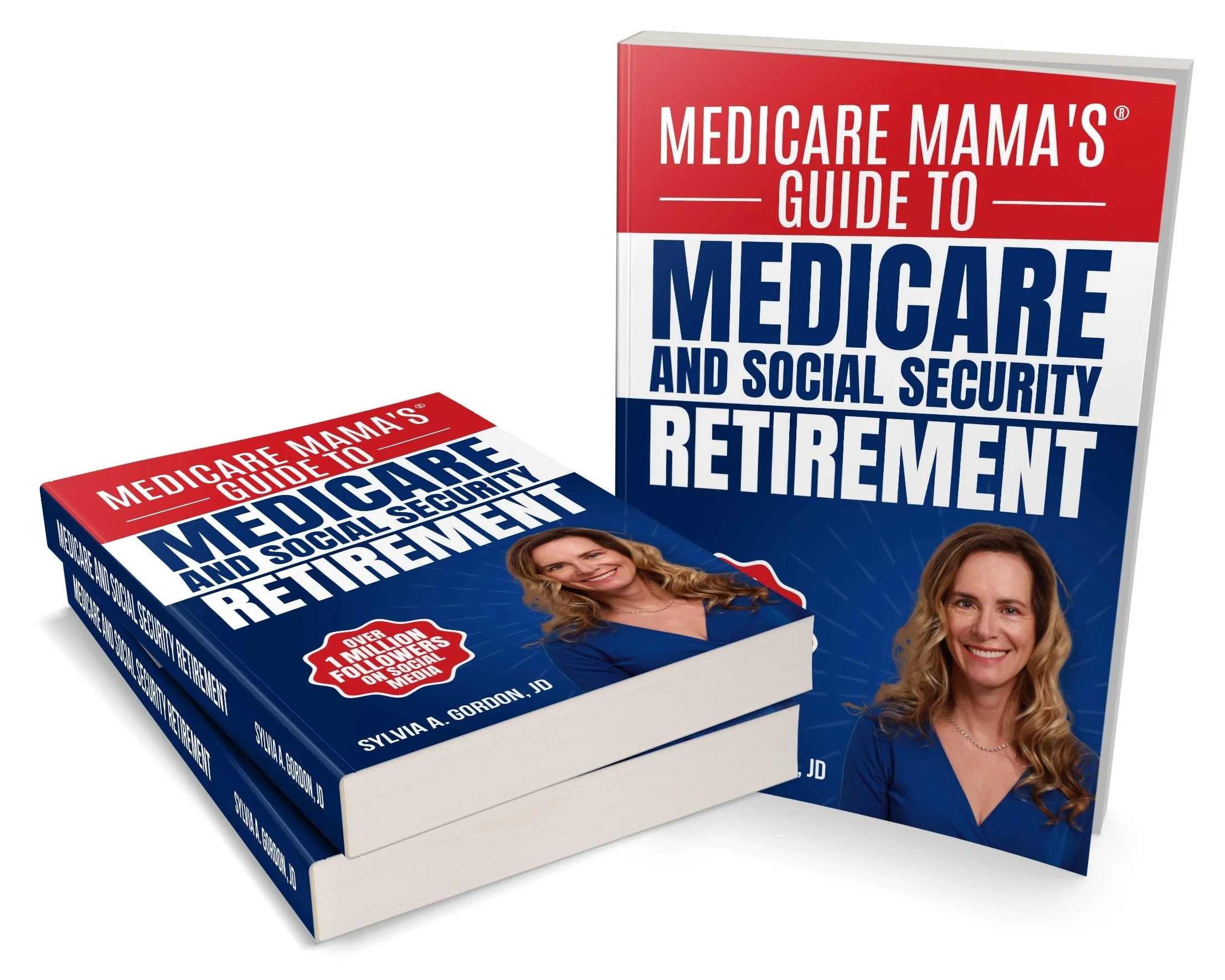

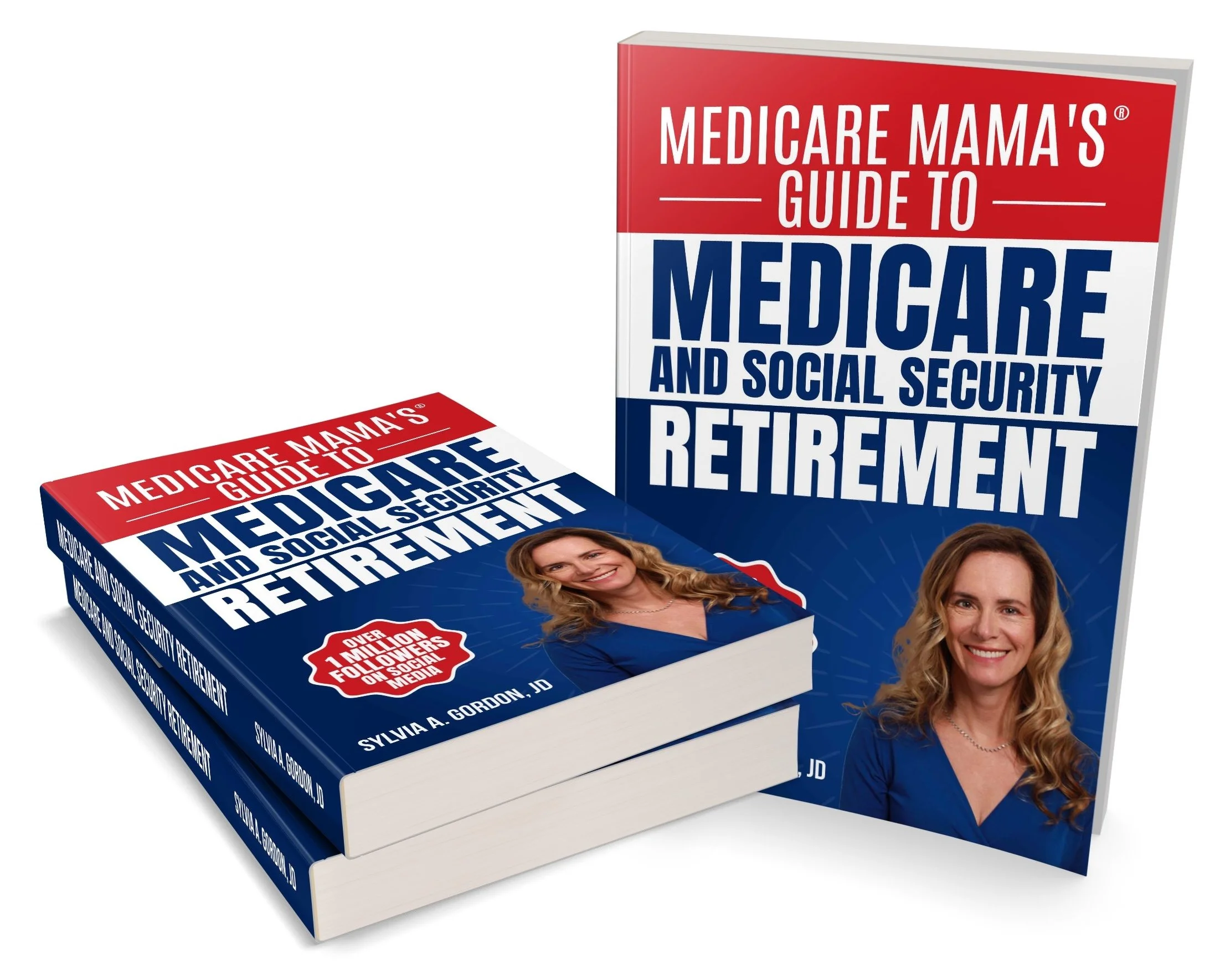
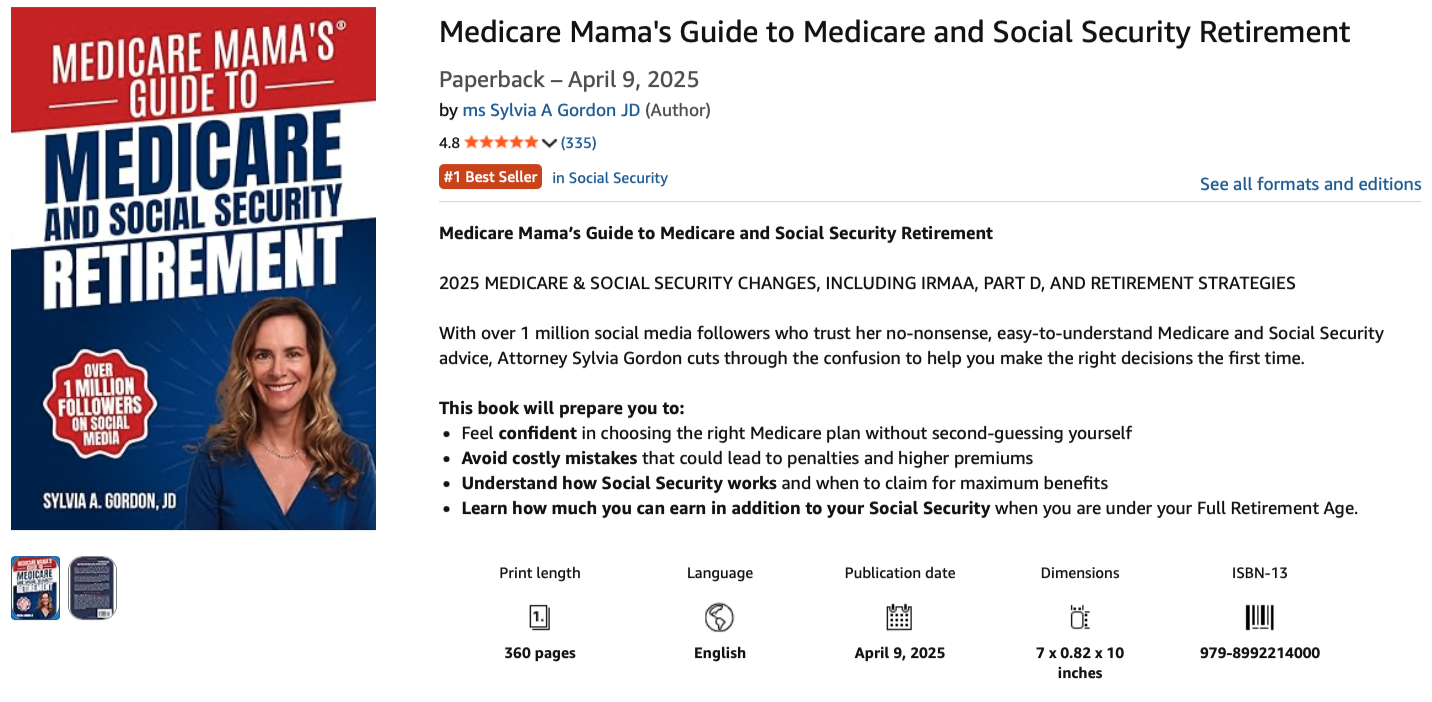
I worked with Sylvia Gordon on her first book, an almost 90,000-word book for Americans preparing for retirement and wanting to understand their options. Sylvia is known to many as “Medicare Mama”, with a 1M+ social media following built around explaining complex Medicare and retirement topics in a clear, approachable way. Her book grew directly out of years of questions from her audience and was designed to be practical, readable, and accessible despite containing a lot of dense information. We used a lot of graphics, boxes and special text styling to help the reader move through the book more easily!
Sylvia Gordon’s Book Done Timeline
💡 Idea born: My social media followers have been asking for 5 years
✍️ Writing started: May 2024
📨 Files ready for design and layout: March 1, 2025
✔️ Book done (released): April 9, 2025
Sylvia Gordon’s Book Done Process
Tell me about how you came up with your book’s title.
I thought the best route for this book was to have a very straightforward title.
Did you self publish, or work with a traditional publisher? If you self-published, did you use a print on demand printer, and if so, which one and why?
I self-published. I used Amazon KDP for my printed book and Audible for my audiobook.

Tell me a bit more about the cover design you chose.
My face is a big part of my “Medicare Mama” brand—my social media followers know me from my videos, so a photo of me was imperative. The colors are the colors of the Medicare ID card.
What service providers or partners did you have in creating and producing your book?
I’d recommend Julie Karen for book interior design!
I worked with a variety of editors and proofreaders and was not pleased with all of them, but the one I would recommend the most for proofreading was Mike Spillman of Great Catch Editing, he was excellent and fast!
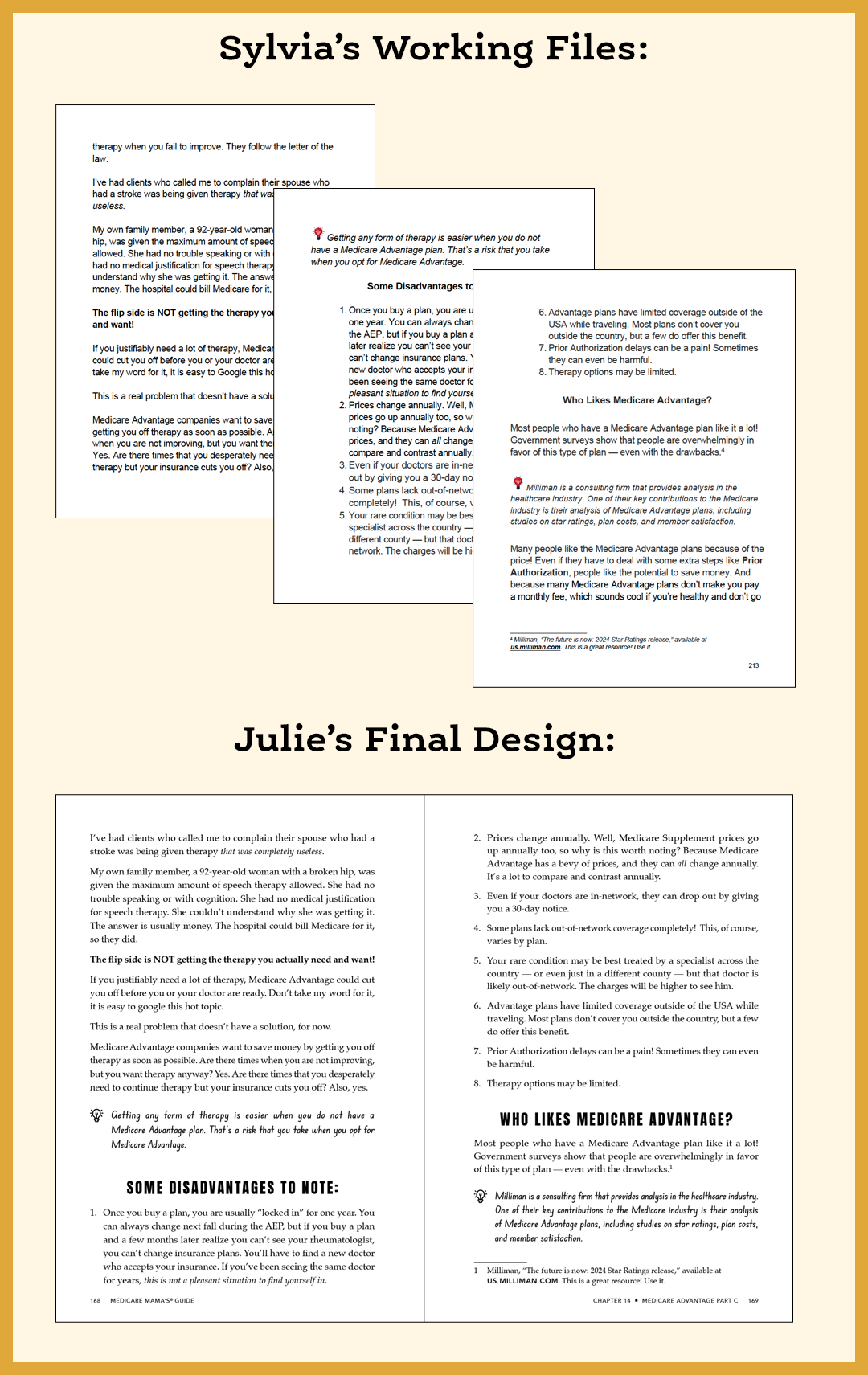
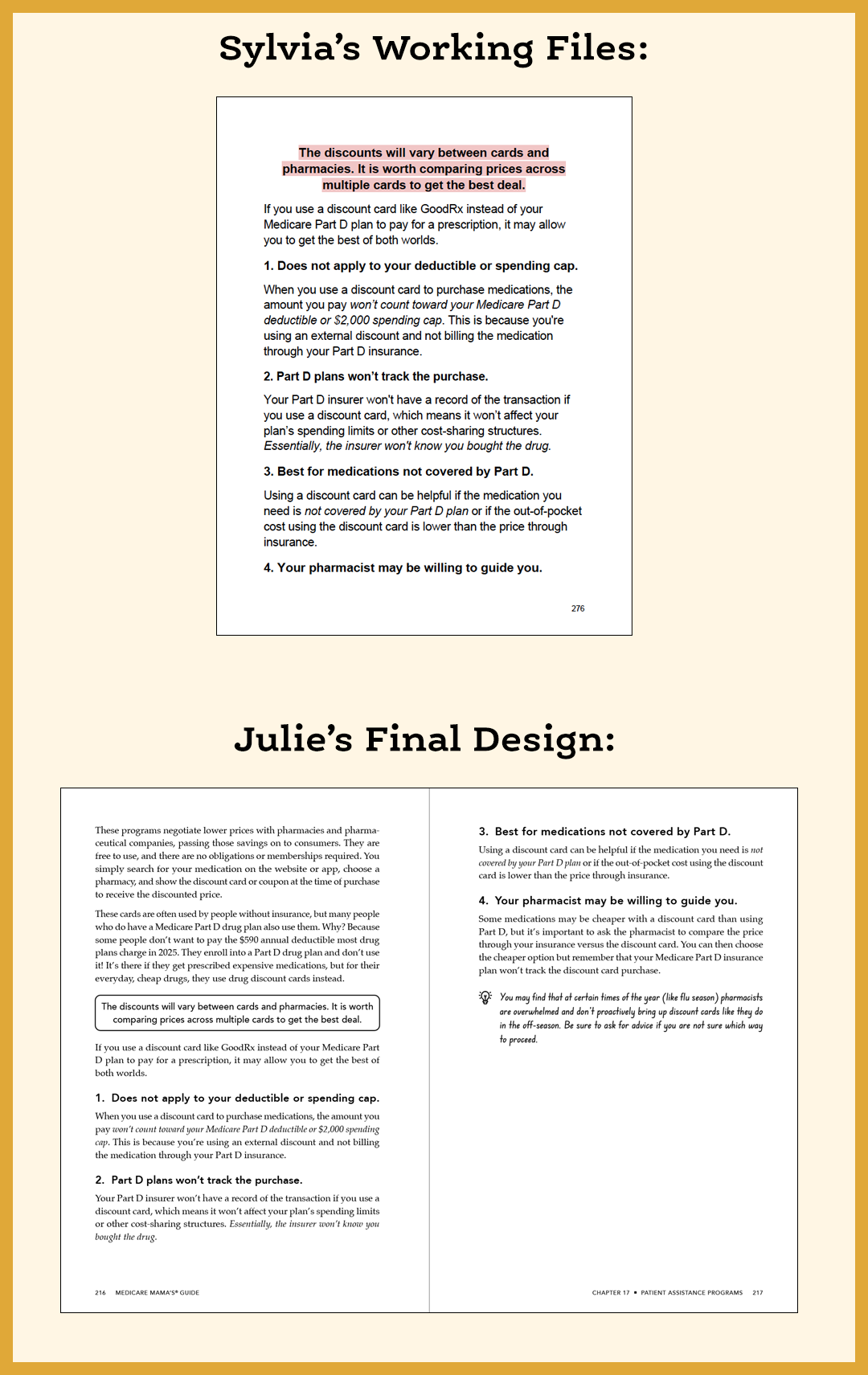
Below you can see how Sylvia and her editor marked various boxes or call-outs in her manuscript and then how they looked in the final design. —Julie
Sylvia Gordon’s Book Done Takeaways
What was the biggest surprise during your book project?
How to limit my topic when writing my book. I could fill many books in great detail, so it was a challenge to summarize and make it readable. Self-publishing was easy and extremely hard at the same time. There were so many steps and not one source that listed all the steps in a step-by-step guide. Thank God for YouTube videos and ChatGPT.
Which part of your book project took longer than you expected, and why?
I don’t have a story arc, so my challenge was organizing the material when there is no linear way for the material to flow.
Which part of your book project was the most fun or rewarding? Which was the most challenging?
Designing the cover and interior graphics was fun. I like helping people, so taking complex material and making it easier to understand through charts or graphics was enjoyable.
What did you want to share about proofreading?
Proofreading was a pain, especially with such a long book. It took a long time and everyone missed things. I had many people read it after the editor went through it, and every person found new errors. I think that process could have gone on indefinitely. Near the end of my project, I put my entire book into ChatGTP and was amazed that it found typos and mistakes that none of the others proofreaders had found. And even when I uploaded the final files to print at Amazon KDP, KDP’s proofreading software flagged three final typos for me.
What is your best advice for book marketing?
I wrote the book for my growing social media followers. I have over 1 million followers so I market to them. I sold 3,000 copies in the first month, which much higher than usual in the self-published market!
Medicare Mama's book could become dry with all the details she needed to include, so she asked me to make the layout more playful with lots of little icons or graphics (this worked well for her social media audience who were now reading her book), boxes and call-outs. —Julie

Book Done Technical Details
Your printer needs these kinds of details to give you a quote for printing a similar book. If you are using a print on demand printer like Amazon KDP or IngramSpark, you can enter your book details on their website to know your printing cost per book.
Page count: 360
Dimensions (Page size): 7 x 10 inches
We chose a bigger-than-average page size because my readers are older (nearing retirement or already retired) and needed to be able to read the text and graphics with ease.
Interior Details
Ink colors: Black and white
Bleed: No
Cover Details
Binding: Paperback
Ink colors: Full color
Laminate: Glossy
Thank you to Sylvia Gordon for working with me, and for allowing me to feature your book as a case study on my website!
You can learn more at www.TheMedicareFamily.com
or follow Medicare Mama on Instagram.
If you’re working on a book or journal project and have questions about design, layout, or the Book Done process, I’m happy to help. You can reach out through my contact form, book a one-hour consultation, or complete the book or journal project questionnaire to get started.